Histórico de preços
mín
máx
fixo

Behoof



Desempenho
Câmera
Autonomia
Tela
Capacidade
Design
 A melhor escolha
Tamanho8 "
Performance de ponto flutuante0.04 TFLOPS
RAM4 GB
Capacidade64 GB
Geekbench 5 (múltiplos)543
Geekbench 5 (único)162
Capacidade5100 mAh
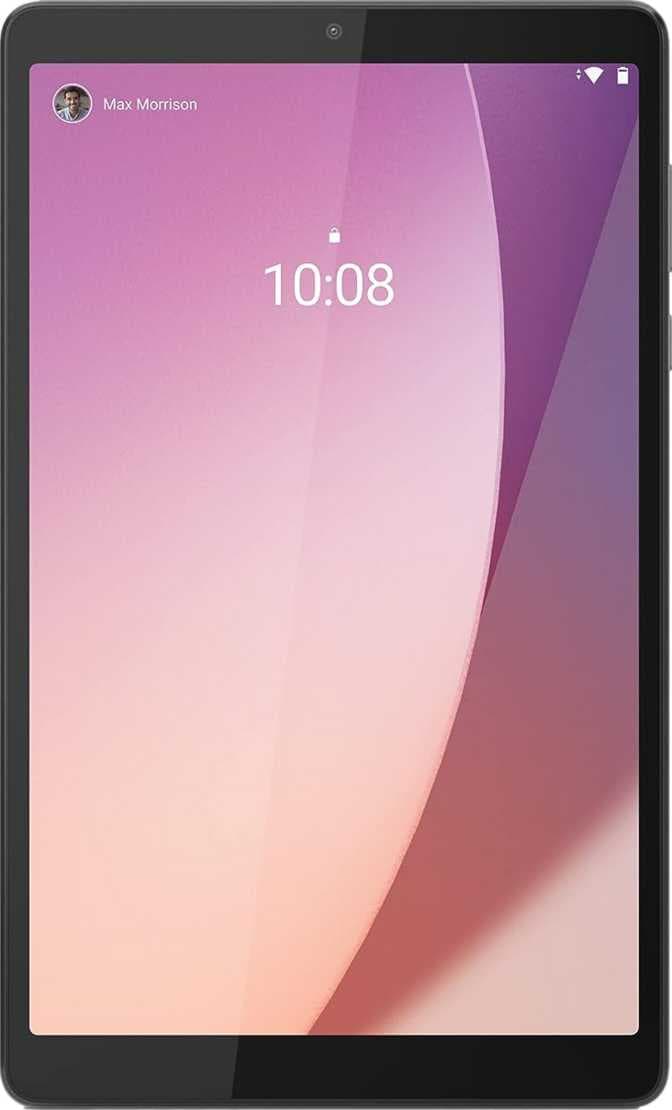
O Lenovo Tab M8 (4ª Geração) 2024 é um tablet com desempenho satisfatório, adequado para realizar tarefas cotidianas como navegação na internet, leitura e uso de aplicativos leves. Equipado com 4 GB de memória RAM, oferece uma performance estável para multitarefa básica. A câmera atende de forma satisfatória às necessidades simples de captura de imagens e videochamadas. Sua autonomia é razoável, sustentada por uma bateria de 5100 mAh, o que permite algumas horas de uso moderado sem necessidade de recarga imediata. O design é funcional e discreto, com peso de 320 gramas, proporcionando portabilidade para quem precisa de mobilidade. Conta com recurso de carregamento rápido, o que facilita o uso em ambientes dinâmicos. A tela de 8 polegadas apresenta qualidade muito abaixo do esperado, assim como seu armazenamento interno de 64 GB, considerado bastante limitado para padrões atuais.
Em resumo, o Lenovo Tab M8 (4ª Geração) 2024 é indicado para usuários que precisam de um dispositivo portátil para tarefas simples no dia a dia, mas que não demandam alta qualidade de imagem ou grande capacidade de armazenamento.
mín
máx
fixo

Plemp
Hello FYI I am not able to obtain widevine L1 on a brand new Lenovo Tab M8 (4th Gen) 2024. - The device has not been rooted - Bootloader not unlocked - Directly purschased from Lenovo - App play store, play services, system & security updates done - Still not getting L1 after a full factory reset The certification may have been present in the past and dropped (unsure as this is a new device, I didn't test the previous updates). Model : TB301FU - 4GB RAM / 128GB Storage / Wifi only System Version : 240527_ROW (latest as of today)
RobertJasiek
Quote from: Elliot Matz on March 28, 2023, 05:41:06 Quote from: Elliot Matz on March 28, 2023, 05:41:06 Quote Quote Even so, it can be hard to get two devices working together. Maybe you lack some not too difficult, but hard to discover knowledge? I would not know conditions for this to work, either. Unless you want to stream from the PC (possibly via a router) via a tablet to your sound system, there would be a two-step process: 1) transfer files from the PC to a tablet, 2) play some of them from a tablet to your sound system. I have never used Android but I am aware of some things to consider for (1): - Transfer might be via USB, ethernet (and router), WLAN (via router) or cloud. - If you use USB, I think that each tablet might need USB-OTG (on the go) rather than just any USB. I am not sure about that but I have read such many times. Cheap tablets might not have OTG. - To share files from a Windows or Linux PC without third party softwares, there might be several methods. One of them is to share the files from a folder for which you have set an SMB Share (Freigabe in German, maybe the English term in Windows is different from Share). You should use SMB 3. Before transferring files, set your used LAN or WLAN Windows internet connection for the Windows user to the network connection type Public, which allows access to Shares. Possibly also configure your Windows firewall appropriately. On a tablet, refer to the PC's Share stating the protocol smb, Windows user name, IP of your PC and the right password(s). I do not know if it is possible simpler but, if not, you get the idea that it can be much more complicated than any supper stuff would be able to know. I have had these problems from PC to my iPad. If you consult iPad help documents, you find exactly no information on this. I had to use third party softwares for years until somebody hinted to me about how to configure SMB and until iOS 13 introduced SMB at all and much later actually started working after overcoming countless severe bugs. I do not know if it is simpler or more difficult for Android but older versions of Android might add extra problems, especially since every manufacturer implements less of Android than every other manufacturer, it seems. Especially for cheap devices. Maybe it will never work on your tablets? I cannot know, but is my impression on Android as an outsider. Mind you, I cannot confirm that it would work for you on iPads because there file management does not work for all file types. Your tasks should just work for all devices but, unfortunately, this is not how things are. For (2), further aspects have to be considered, such as Miracast and the like.
Elliot Matz
[email protected] Elliot Matz < > 11:12 PM (26 minutes ago) to me I'm a pretty tech-savvy person, and I'm an audiophile and a musicican. But... I bought two Lenovo Tab M8 3rd Gen's specifically in order to play music to my two home stereo systems. I want to stream via wifi from the Internet (Tune-In, Spotify, classical music stations, etc.), and I want to transfer many purchased audio files from my PC or storage devices to the M8's and play them through the stereo systems. I am able to get the M8's to stream music from online through the tablet to the stereos, and it does sound fine. But I have NOT been able to transfer files from my desktops, laptop or storage devices onto the M8's. I have tried copying to the tablets via several USB connector cables (so trge problem is NOT the cables), and via bluetooth. I keep getting error messages saying "Device has stopped receiving," or "Device no longer connected," like 2 seconds after it had said that the tablet WAS connected. I tried calling Lenovo Technical Support. The first two times, I got women who listened to my issue, asked to put me on hold while they researched, kept me on hold for about 4 minutes each time, and then disconnected me. No callback, even though they HAD my number because I had registered for a callback from customer service. Unvelievably frustrating and maddening! The third time I called, I did get a woman - heavy accent - who listened, put me on hold, and then did get back to me. I spent about 45 minutes on the phone with her trying different things, having her put me on hold several more times while she researched, and tried more things. We tried transferring files via USB cable, and via bluetooth. I kept getting the error messages. She couldn't figure out why. Finally she said she didn't have any more suggestions. When I asked what I was supposed to do then - and I asked if there were any live Lenovo support people anywhere - like at a Lenovo store - to which I could bring the tablets and have them show me how to transfer files onto them in person, she said, "Yes! Go to the Geek Squad at Best Buy." There is a Best Buy about a 40-minute drive from me, so I reluctantly said OK, I would do that. She thanked me for my patience, and we said goodbye. I drove 40 minutes to the Best Buy in Poughkeepsie, NY. I waited in line to speak with a Geek. When I finally did, he said that the Geek Squad does repairs, but does NOT help people figure out how to use devices. He said to contact Lenovo. When I told him that I already had and that Lenovo sent me to the Geek Squad, he basically shrugged his shoulders. He said that I could call the 800 number for the Geek Squad and for a fee they would remote into my computer(s) and into the tablet and get it to work. I may do that (~$50!), but WHY SHOULD I HAVE TO???!!! WHY CAN'T LENOVO UNDERSTAND THEIR OWN DEVICES??? WHY SHOULD I PAY $50 TO HAVE SOMEONE OTHER THAN LENOVO HELP ME FIGURE OUT WHY THE M8 ISN'T DOING SOMETHING VERY BASIC?????? I may simply junk the M8's and buy two iPad Mini's, because I KNOW that they can stream everything into my stereo. But they do a lot of other stuff too that I don't need these two devices to do, and they cost like $400 each. The M8's cost about $95 apiece and they are SUPPOSED to be able to, at a minimum, simply stream music from online and from stored files. SO FRUSTRATING! I may call Lenovo back and try Tech Support one more time. But this is SH** customer service, and I will be telling people to stay away from Lenovo products, and certainly not to expect any help with products from LENOVO.
Audeo
I just got the nonlte version of this tab with the dock. Love the ease of charging and bedside stand the dock provides. The tab does all I need, comfortable to hold and good performance. On sale, it was a little over $100. Very happy with it!!